Need a hand with ZIMS? The Help Menu just got better!
By
Gavrielle Kirk-Cohen
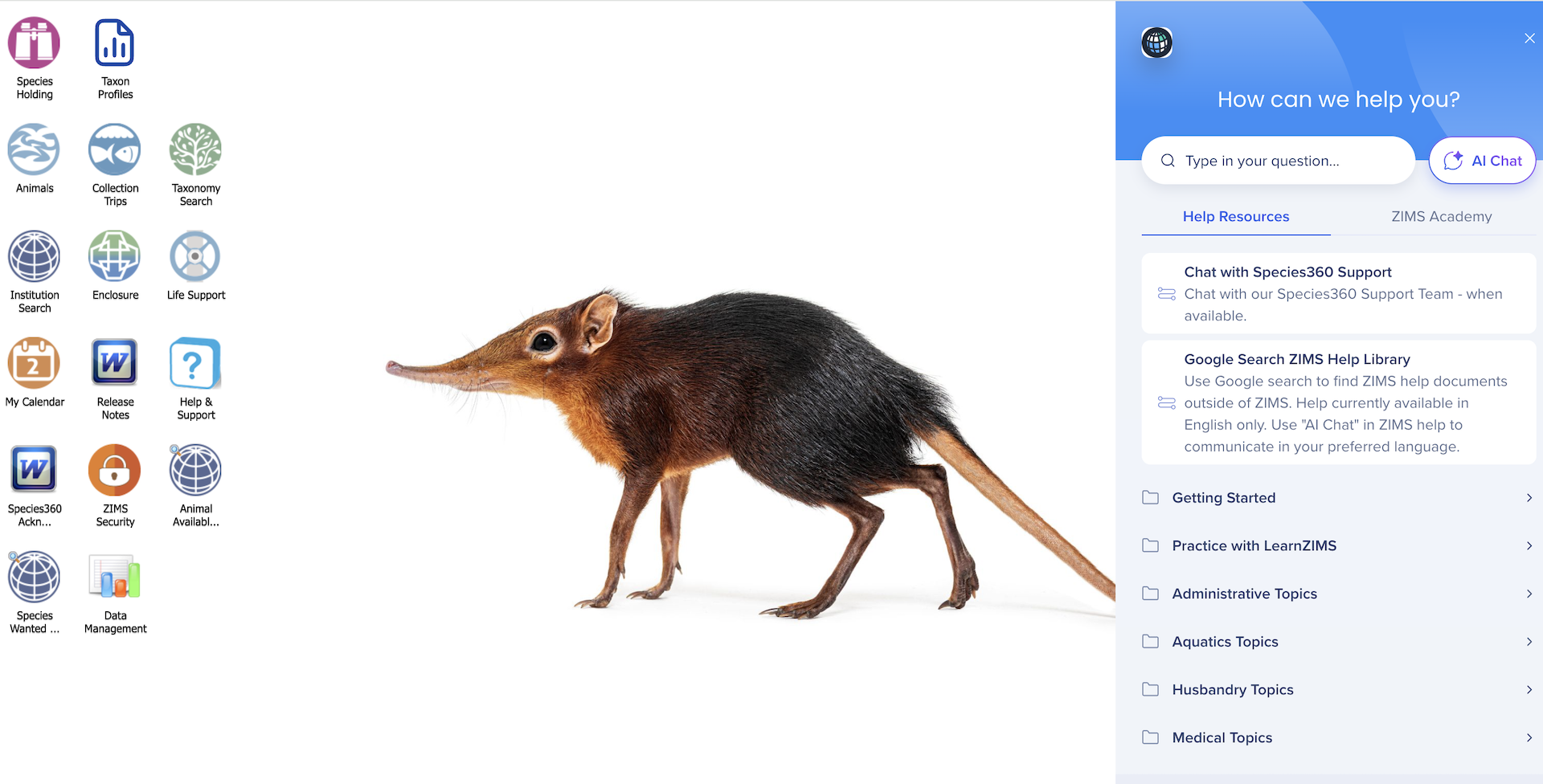
Whether you’re a seasoned ZIMS expert or just getting started, we’ve made it easier to find the answers you’re looking for. We’ve given the ZIMS Help Menu a makeover, with a fresh new look and improved user interface. And, more excitingly, we’ve added AI Language support so that you can get the ZIMS help you need in the language of your choice.
Simply head to the Help Menu on the ZIMS homepage, click on the AI chat button and type in your ZIMS question in your preferred language, and you will receive the answers in the same language. You can read more about how we’ve implemented AI multilingual assistance here.
Watch the below video to see an example of how the new language support tool works.
ZIMS Help Library
Beyond the new multilingual chat option, the Help Menu contains a vast library of resources and self-help guides, including onboarding guides. You can easily browse through key topics or use the search bar to pinpoint exactly what you’re looking for. Search for key phrases like ‘accessions’ or ‘reports’ to learn more about specific topics.
Free Learning Courses
We offer several courses which are free for Species360 members, or available through a ZIMS Academy subscription. The below courses can all be accessed via the help menu in ZIMS, by clicking on the ZIMS Academy tab.
ZIMS for Keepers and Aquarists: this course will equip you with the essential skills needed to enter daily aquarist and keeper information into ZIMS.
ZIMS for Medical for Non-veterinary Staff: learn how to accurately enter clinical notes, samples, test results, generate reports and more in ZIMS for Medical.
Species360 Insights course: discover how to leverage the Global Resources in ZIMS, across husbandry, medical and population data.
Still need help? We’re here for you!
Our dedicated Member Support team is always here to help with any of your ZIMS questions, please feel free to reach out to us at support@species360.org or through the instant chat option on the Species360 website.